SC26 demo walkthrough
This page walks through the six saved flows in the four SC26 demo projects. The click path is the same on Google Cloud, AWS, and Kubernetes. The screenshots were taken from live 1.0 runs on 16 November 2026. Each caption names the cloud it came from; where a cloud differs, the text says so.
You need an account on a projectEureka environment that already has these four projects, and a role that can submit a saved flow (Reader, Editor, or Owner). See Get started for the first-time sign-in screens, and Run a flow for the general Submit and Runs pages.
Leave QPU off. These quantum runs use the IonQ simulator only. Do not change Feature Administration or pause the environment.
Across the three clouds
Section titled “Across the three clouds”- BLAST+, GDAL, LAMMPS, and the IonQ simulator run on all three clouds.
- LAMMPS is sized 4 CPU / 8G on Google Cloud and AWS, and 2 CPU / 4G on Kubernetes. Do not raise the Kubernetes stage in the editor: a 4 CPU stage will not schedule on the demo workers.
- The LLM one-shot and the kinase “20 questions” game are shown from AWS, where they use Amazon Nova (Nova Micro and Nova Pro). On Google Cloud and Kubernetes they need a Vertex or Gemini credential that was not in place when these screenshots were taken, so do not expect those two flows to finish there yet.
- On AWS, the first Submit in a region can wait several minutes for machines. Later submits on a warm pool are much faster. Worth a warm-up run before a booth demo.
1. Sign in
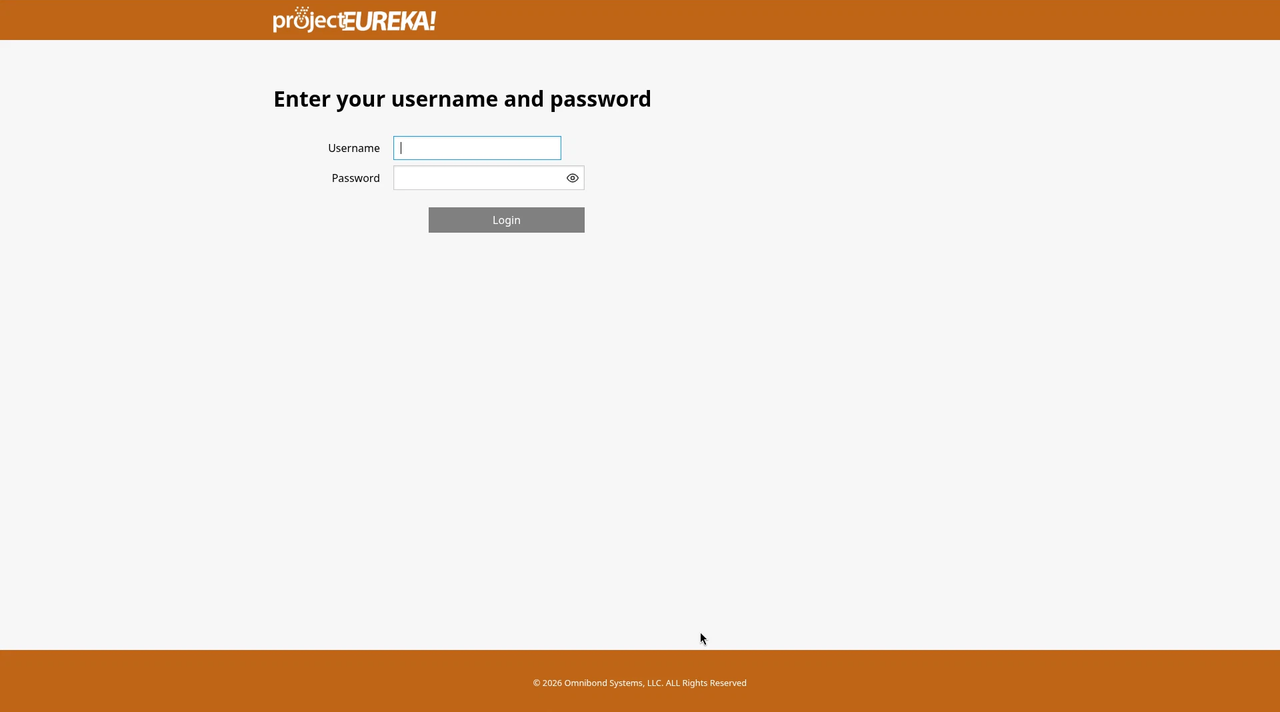
Section titled “1. Sign in”Open the projectEureka address your administrator gave you. Choose Eureka Login if the page asks how to sign in, then enter your username and password. The password field has a show-password button so you can check what you typed. See Get started for Google and institutional sign-in.
2. Home: the four SC26 projects
Section titled “2. Home: the four SC26 projects”After you sign in, Home (Projects) lists four project cards:
| Project | What it holds | Flow to run |
|---|---|---|
| SC26 Genomics | BLAST+ sequence search | sc26-blast-gene-search |
| SC26 Geospatial | GDAL terrain reprojection and hillshade | sc26-gdal-terrain |
| SC26 Materials | LAMMPS Lennard-Jones melt | sc26-lammps-lj-melt |
| SC26 Quantum + AI | IonQ simulator, an LLM one-shot, and the kinase guessing game | quantum-sim, llm-only, kinase-questions |
Select a card (or its Flows button) to open that project.
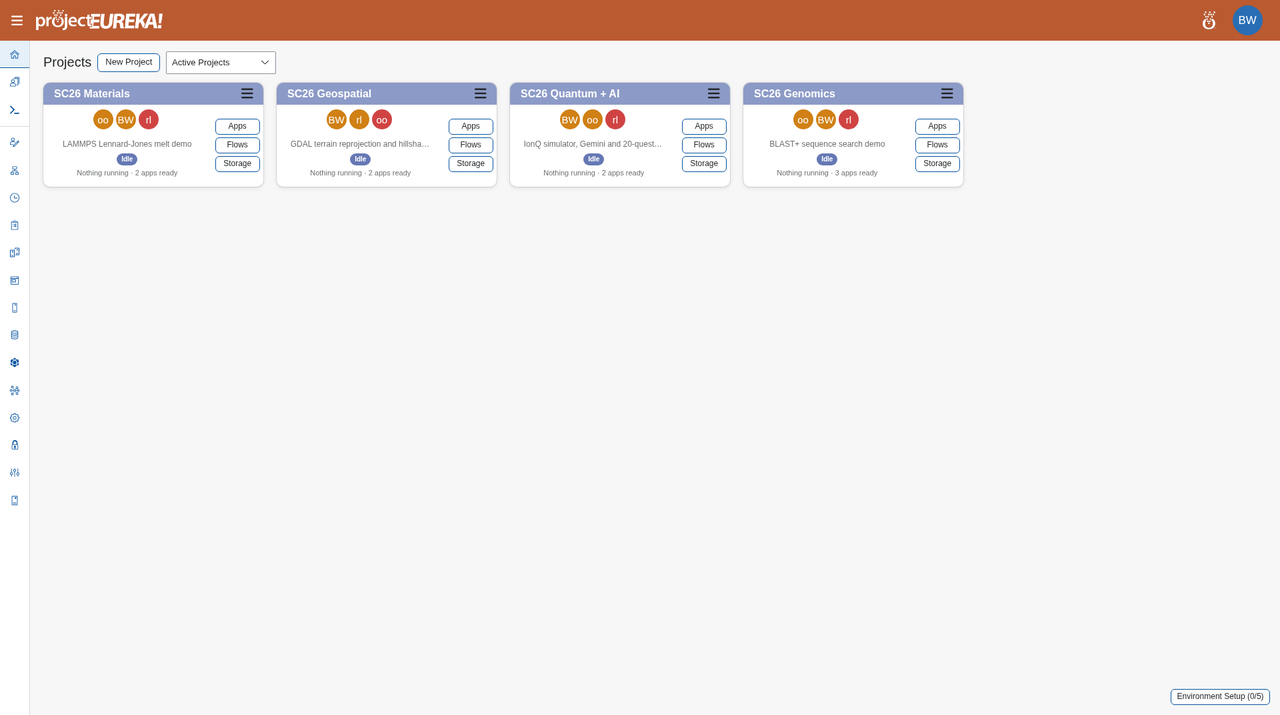
On Google Cloud or AWS, the Quantum + AI card may still show an earlier failed AI run until those runs are cleared or a Vertex or Gemini credential is added. The Kubernetes card above is a clean starting view, with nothing running.
3. A common path for every flow
Section titled “3. A common path for every flow”- On the project, open Flows in the left side bar.
- On the flow row, Edit shows the stages. Submit starts a run. A Reader can submit and watch Runs, but cannot Edit or Save.
- Open Runs on the same row and wait until the run state is Done.
- Results are in Storage, under
prj-storage/sc26-results/<demo>/<timestamp>/for the CPU demos. Flow stages also write toprj-storage/flows/<flow>/runs/<run>/stages/<stage>/out/. - Flow monitor in the side bar lists every run in the project.
The sections below follow that path for each demo. None of these flows needs you to enter an input file; the data is generated in the flow or the prompt is already saved.
4. BLAST+ gene search
Section titled “4. BLAST+ gene search”Project: SC26 Genomics · Flow: sc26-blast-gene-search
This flow builds a small synthetic gene database, searches three mutated reads with NCBI BLAST+, and writes a one-page summary. It has three CPU stages: make-data, blastn (the ncbi-blast container), and report. Each stage is 2 CPU / 4G.
The science
Section titled “The science”BLAST+ is NCBI’s tool for sequence similarity search: it looks for regions of a query that match sequences already in a database. This flow uses blastn, which compares nucleotide reads to a nucleotide database. Percent identity is the share of aligned bases that match. The bitscore is a normalized alignment score — higher means a stronger match, and unlike a raw score it can be compared across searches. Those two numbers are how researchers identify a gene from a read, or see that a read is a close variant of a known gene rather than an exact copy. The database in this demo is synthetic: 40 made-up genes and three mutated reads, not a public genome.
Learn more: BLAST+ Command Line Applications User Manual
Select Edit to see the stages, then Submit, and open Runs.
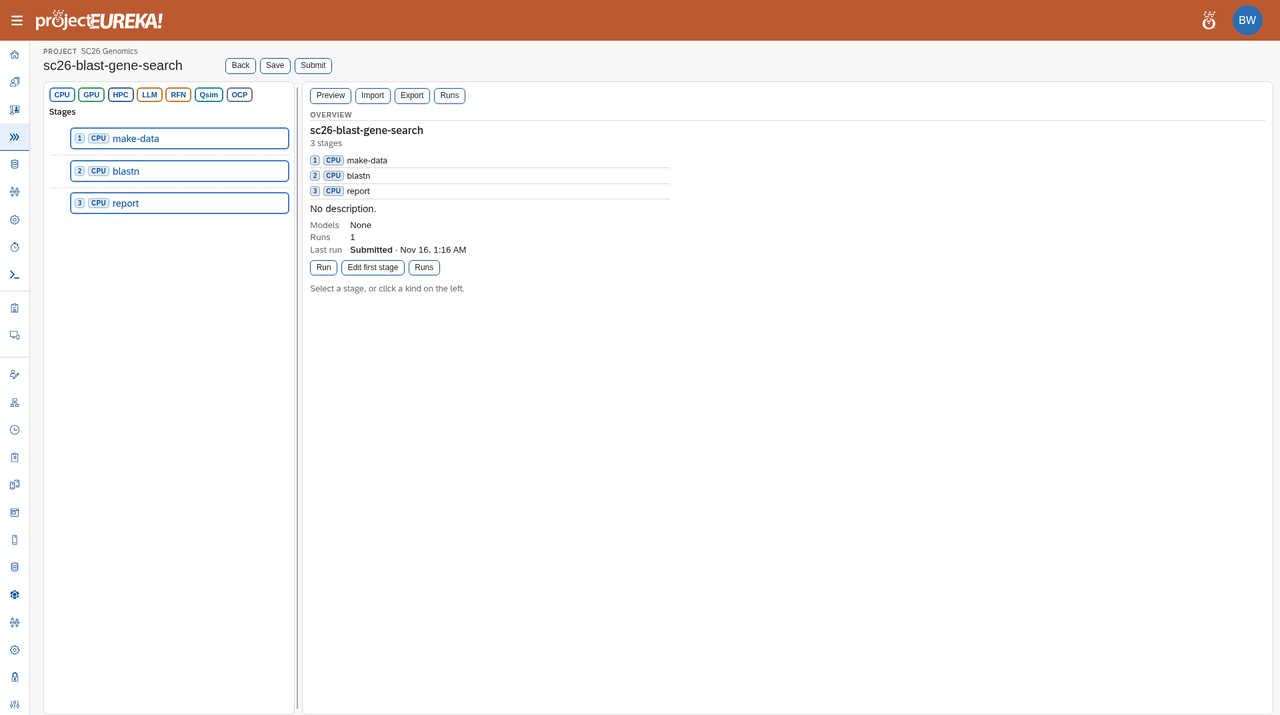
The run reaches Done in about 8 seconds of stage time once a machine is ready (longer on a cold Google Cloud start while the VM boots). Open the report stage. The summary is:
SC26 BLAST+ demo: best hit per readread_1 -> gene_07 98.0% identity over 300 bp (bitscore 521)read_2 -> gene_19 96.7% identity over 300 bp (bitscore 499)read_3 -> gene_33 97.3% identity over 300 bp (bitscore 510)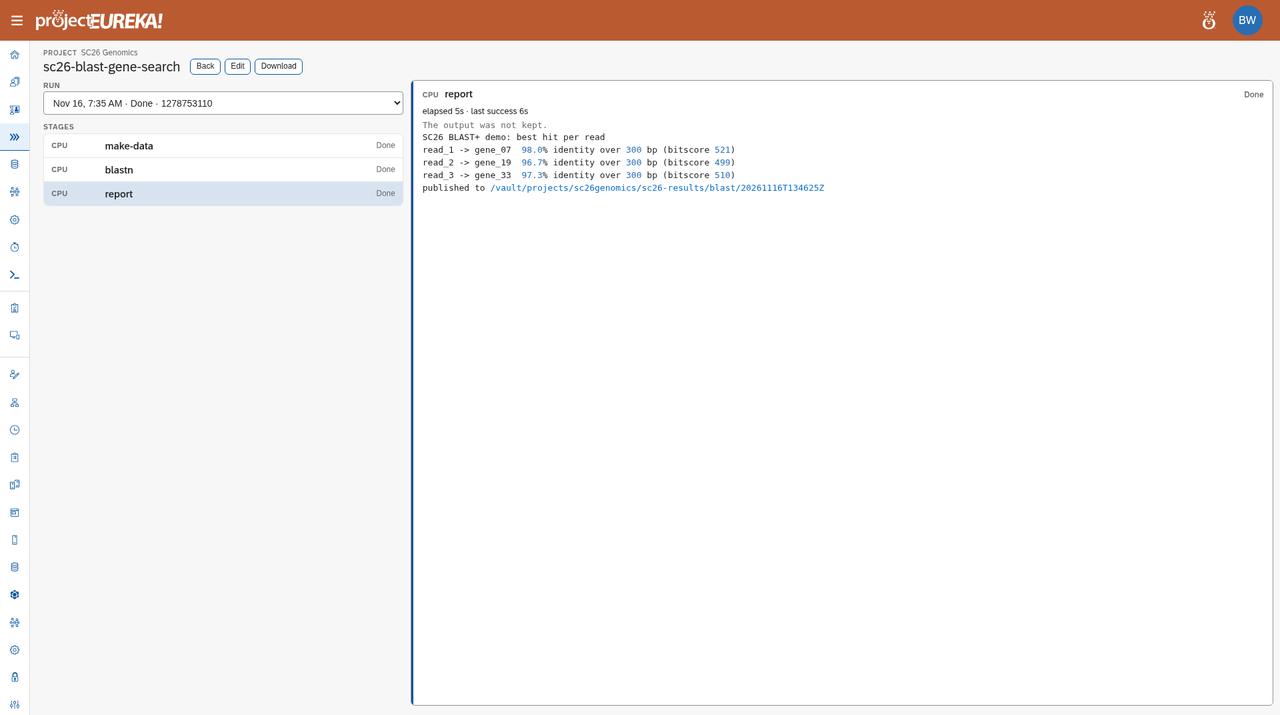
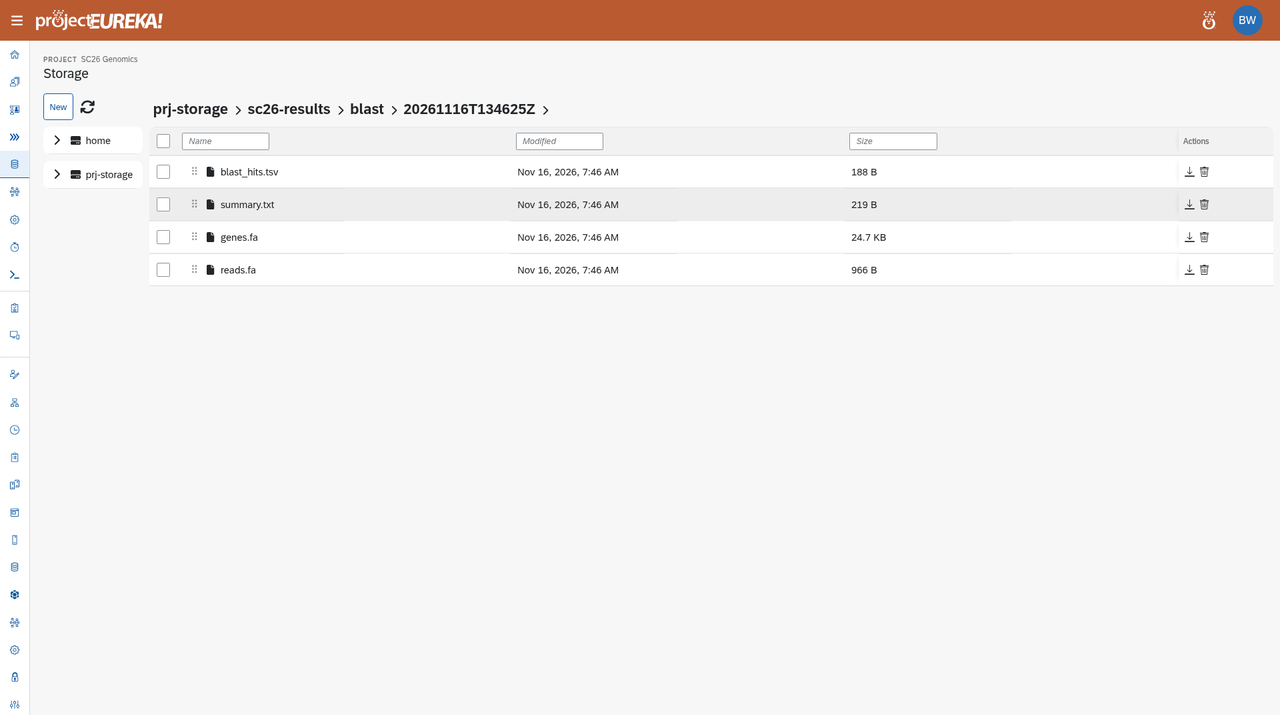
The run view may say “The output was not kept.” The summary and the other files are still in Storage. Open Storage and go to prj-storage/sc26-results/blast/<timestamp>/. You should see summary.txt, blast_hits.tsv, genes.fa, and reads.fa.
5. GDAL terrain
Section titled “5. GDAL terrain”Project: SC26 Geospatial · Flow: sc26-gdal-terrain
This flow has one CPU stage, terrain (the gdal container, 2 CPU / 4G). It builds a synthetic elevation model, reprojects it, and computes hillshade and slope.
The science
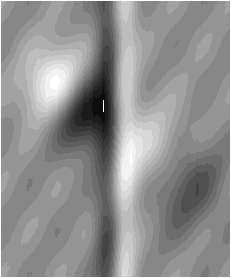
Section titled “The science”A digital elevation model (DEM) is a raster of terrain heights. This flow builds a synthetic DEM, then reprojects it from WGS84 (latitude and longitude) into Web Mercator, the projection most web maps use. From that grid it computes a hillshade — a shaded-relief image that makes ridges and valleys easier to see — and a slope raster, which records how steep the surface is. Hillshade is mainly for visualization; slope is used in terrain analysis and in work on floods, landslides, and land use. The elevation data here is synthetic, not a real landscape.
Learn more: GDAL documentation (see gdaldem for hillshade and slope)
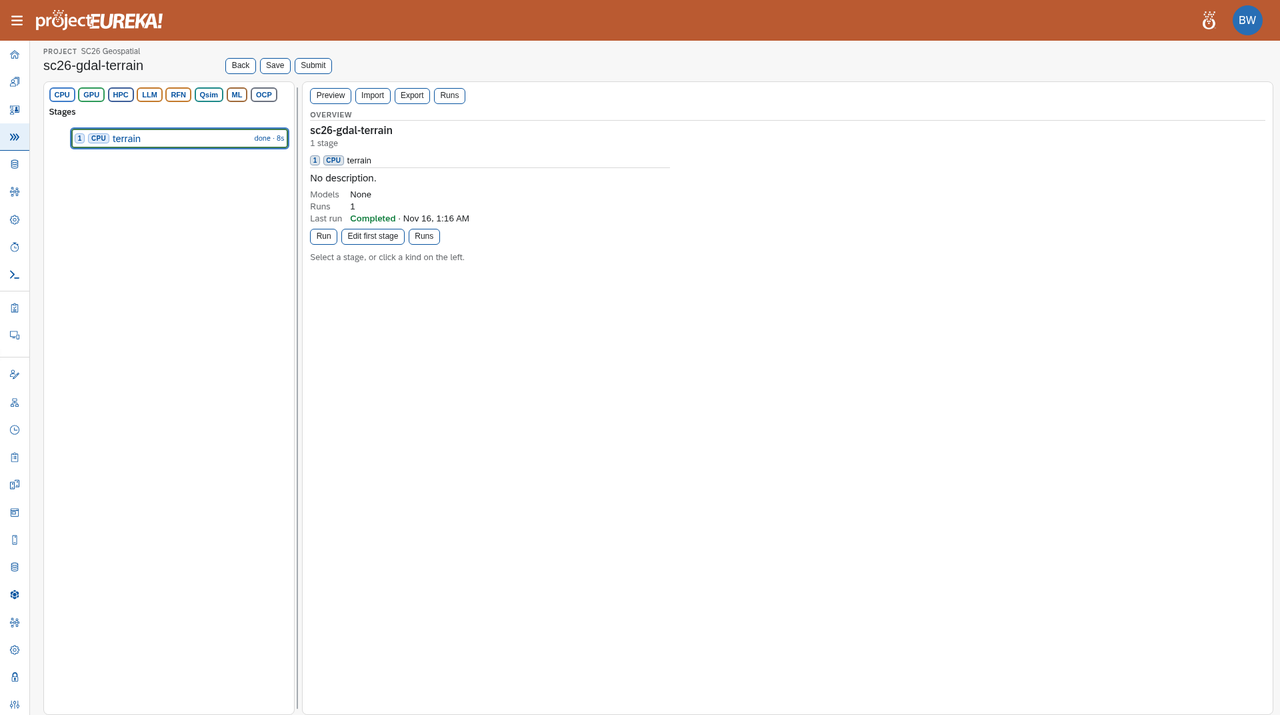
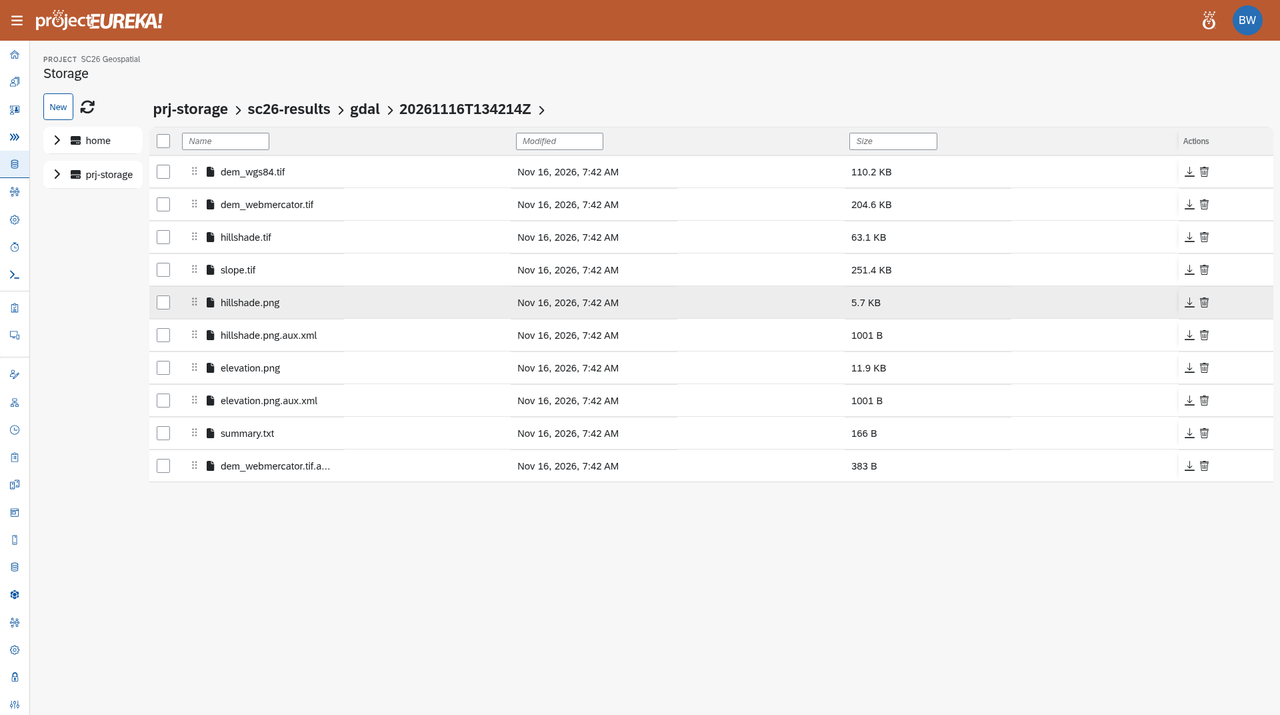
The run reaches Done in about 12 to 15 seconds of stage time. In prj-storage/sc26-results/gdal/<timestamp>/, open hillshade.png and elevation.png. The same folder also has dem_wgs84.tif, dem_webmercator.tif, hillshade.tif, slope.tif, and summary.txt.
The two PNG results look like this:

6. LAMMPS LJ melt
Section titled “6. LAMMPS LJ melt”Project: SC26 Materials · Flow: sc26-lammps-lj-melt
This flow has one CPU stage, melt (the lammps/2026.09 container). It runs a 4,000-atom Lennard-Jones melt for 2,000 steps. Remember the size difference: 4 CPU / 8G on Google Cloud and AWS, 2 CPU / 4G on Kubernetes.
The science
Section titled “The science”LAMMPS is a molecular dynamics simulator: it steps atoms forward in time under a chosen force field. This demo uses a Lennard-Jones potential, a standard pairwise model with short-range repulsion and a weaker attractive well, in reduced (LJ) units. The “melt” run places 4,000 atoms on a face-centered cubic (FCC) lattice, assigns a high initial temperature of 3.0 in those units, and integrates 2,000 steps. As the crystal disorders, kinetic energy is converted into potential energy and the temperature relaxes toward an equilibrium near 1.6, which is what the saved summary shows.
Learn more: LAMMPS documentation
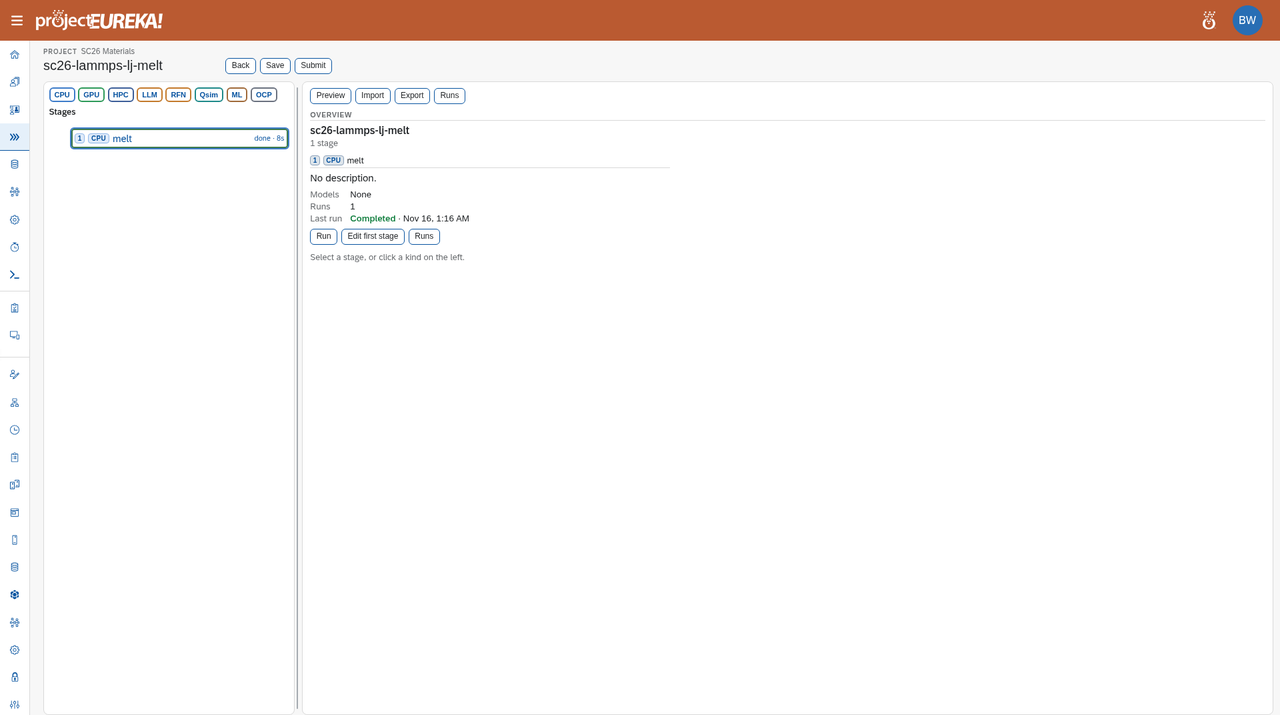
The run reaches Done in about 12 to 15 seconds of stage time. Open prj-storage/sc26-results/lammps/<timestamp>/summary.txt. It reports step 0 at temperature 3.0 and step 2,000 at temperature about 1.63, with a loop time of about 5 seconds. The folder also has thermo.txt, log.lammps, and melt.lammpstrj (a trajectory you can open in OVITO or VMD).
SC26 LAMMPS LJ melt: 4000 atoms, 2000 stepsstep temp E_pair E_total press 0 3 -6.7733681 0 -2.2744931 -3.7033504 2000 1.6306758 -4.7382264 0 -2.2928242 5.9058817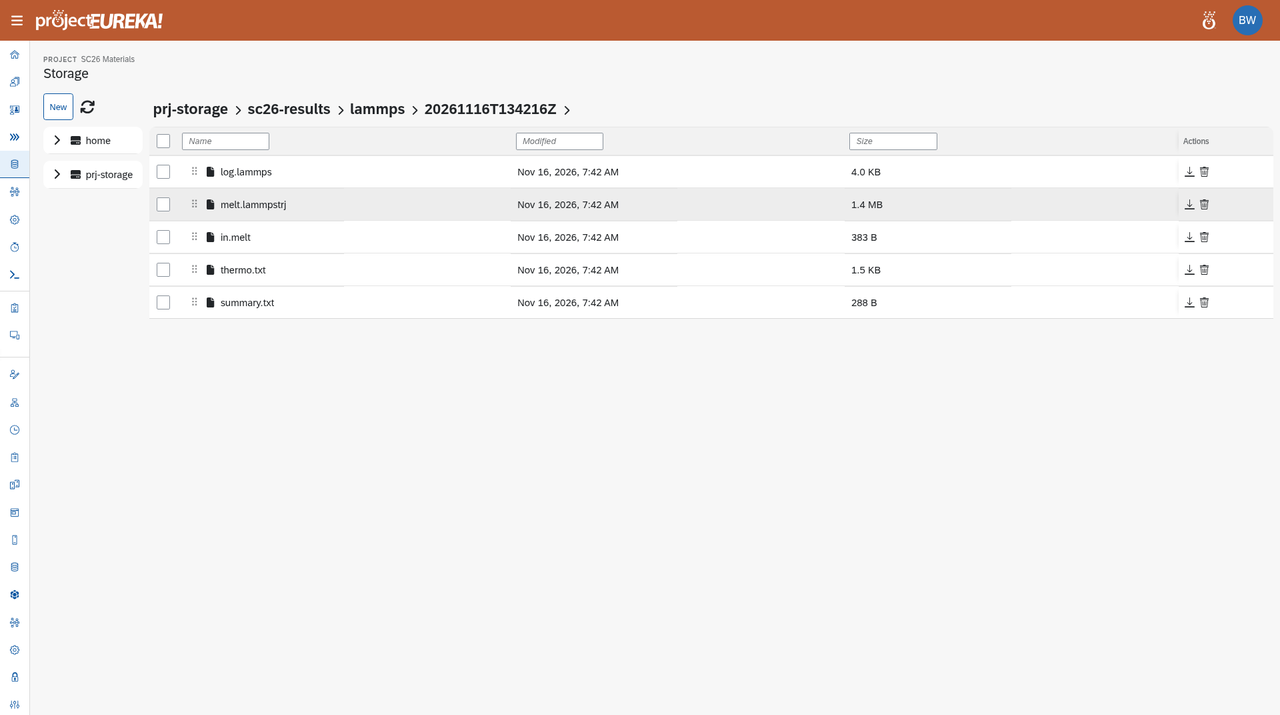
7. IonQ quantum simulator
Section titled “7. IonQ quantum simulator”Project: SC26 Quantum + AI · Flow: quantum-sim
This flow has one Quantum/Qsim stage, hadamard: a 1-qubit Hadamard and measure, written in OpenQASM 3, for 32 shots. The provider is IonQ and the backend is the simulator. Do not switch the environment to a QPU.
The science
Section titled “The science”A qubit can be 0, 1, or a superposition of both. The Hadamard gate takes a qubit that starts in 0 and puts it into an equal superposition; measuring it then yields 0 or 1 with equal probability. Over 32 shots you should see counts close to 16 and 16, as in the saved run — small statistical fluctuations are expected. IonQ’s hardware is trapped-ion: individual ions held in an electromagnetic trap and used as qubits. This demo calls IonQ’s cloud simulator only, not a QPU.
Learn more: IonQ documentation
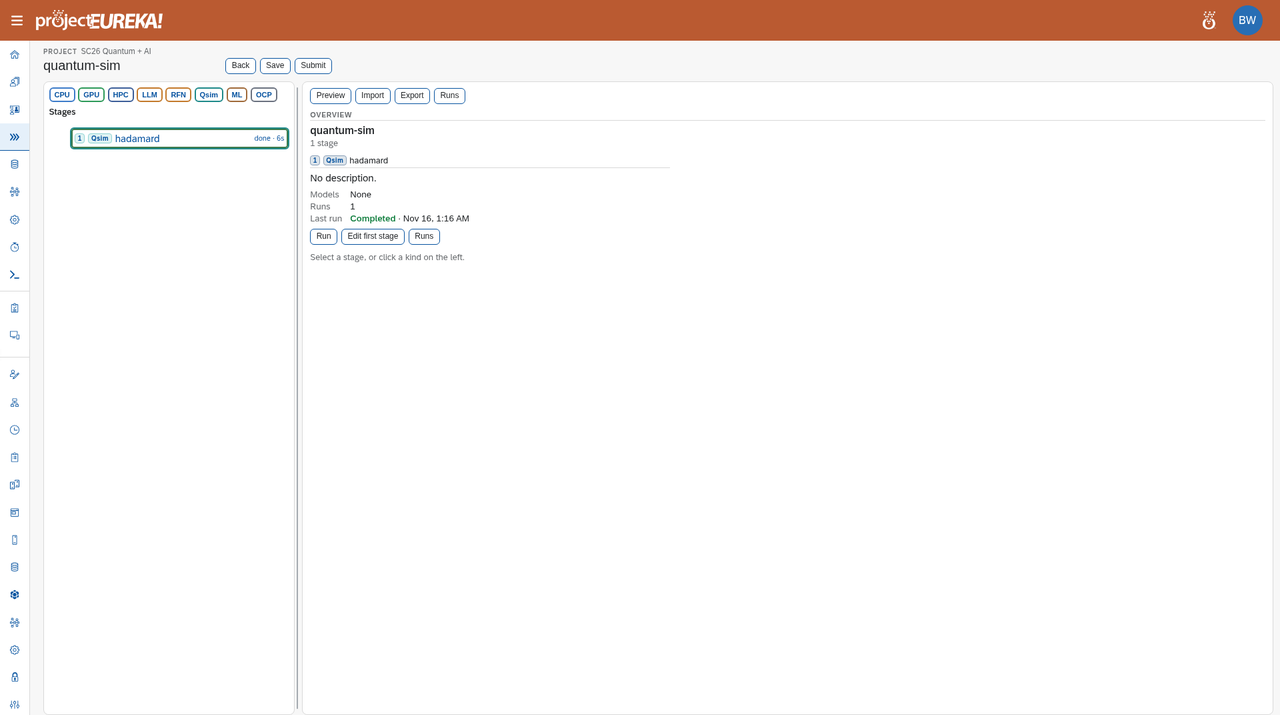
The run reaches Done in about 5 seconds. The stage output (and counts.json or s1.out in that run’s stages/s1/out/ folder) should show "backend": "simulator", "provider": "ionq", 32 shots, and counts of 16 and 16 for "0" and "1":
{ "backend": "simulator", "shots": 32, "counts": { "0": 16, "1": 16 }, "provider": "ionq"}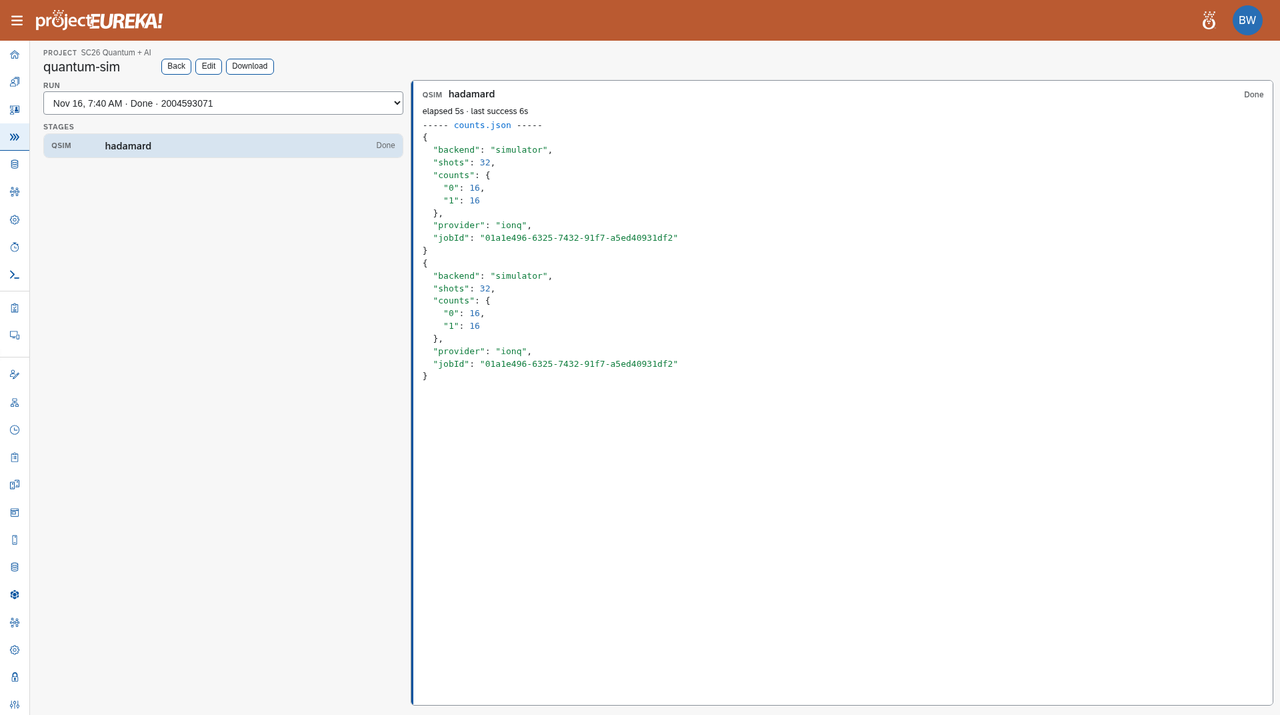
The run view may print that JSON object twice. The file in Storage holds a single copy. Counts can differ slightly from 16/16 on another simulator run; they should still be close to even over 32 shots.
8. LLM one-shot
Section titled “8. LLM one-shot”Project: SC26 Quantum + AI · Flow: llm-only · Cloud: AWS (Amazon Nova Micro)
This flow has one LLM stage, generate. The saved prompt is: “In two short sentences, tell an SC26 visitor what an orchestrated research workflow is.”
The science
Section titled “The science”This flow is one orchestrated workflow step that calls a large language model. The prompt is already saved on the generate stage; when you submit the flow, Eureka sends that prompt to the configured model and writes the reply into Storage, the same way a container stage writes files. The point is that an LLM can be one stage in a larger research workflow — with the same Submit, Runs, and Storage path as BLAST+ or LAMMPS — rather than a separate chat window.
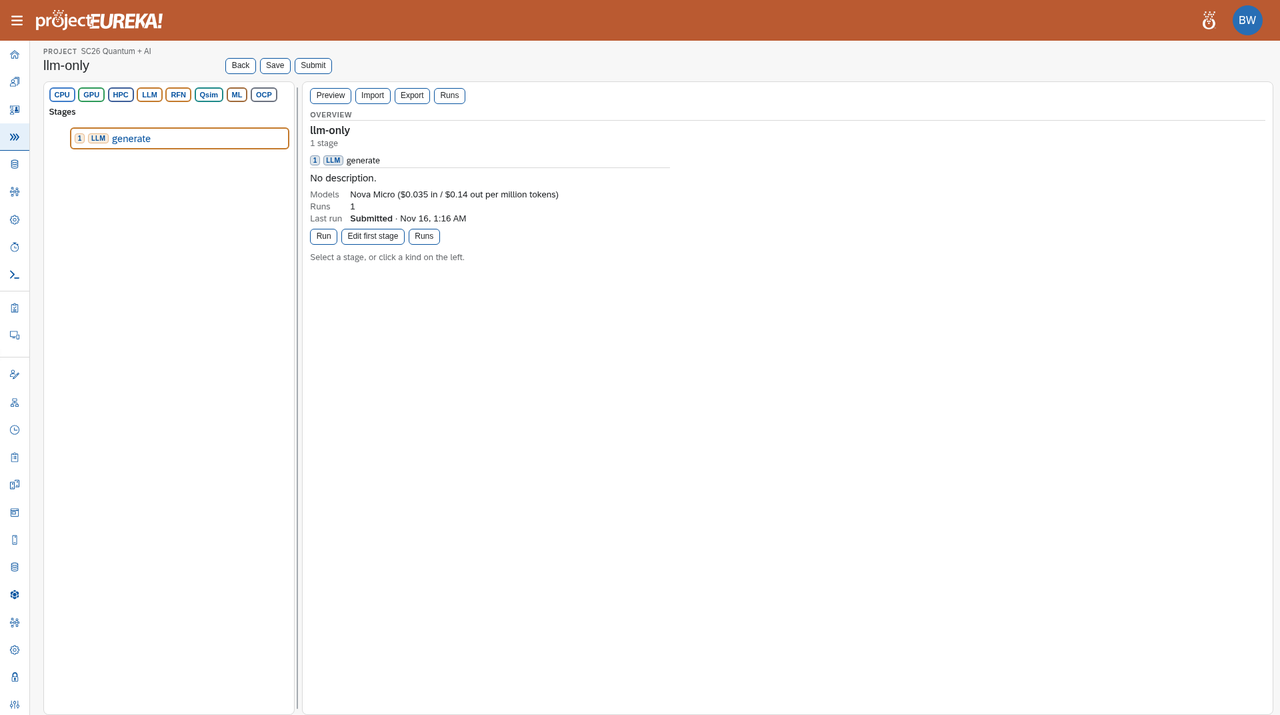
On AWS the run reaches Done in about 1 to 2 seconds. The reply is in that run’s stages/s1/out/ folder (s1.out or reply.txt). One live Nova Micro reply was:
An orchestrated research workflow is a structured, automated process that coordinates various research activities and tools, ensuring seamless data collection, analysis, and dissemination in scientific studies. It enhances efficiency and reproducibility by integrating different tasks and technologies into a cohesive system.A later run will phrase the answer differently; it should still be two sentences on that prompt. This flow is the one to skip on Google Cloud and Kubernetes until a Vertex or Gemini credential is in place.
9. “20 questions” (kinase-questions)
Section titled “9. “20 questions” (kinase-questions)”Project: SC26 Quantum + AI · Flow: kinase-questions · Cloud: AWS (Amazon Nova Pro)
There is no flow named “20 questions” in the project. kinase-questions is the guessing-game demo: a CPU referee and an LLM question stage inside an RFN/loop span ask. It allows at most 6 turns and stops when the referee’s confidence is at least 0.8.
The science
Section titled “The science”Protein kinases are enzymes that attach phosphate groups to other proteins (phosphorylation), a common way cells turn signaling pathways on or off. Many are drug targets, including in cancer research. The game uses UniProt-style identifiers such as AKT1_HUMAN, the entry name for the human AKT1 kinase (accession P31749). In each turn of the loop, the LLM questioner asks for a clue or makes a guess, and the CPU referee answers and scores confidence, until the guess is confident enough or the turn limit is reached.
Learn more: UniProt
On AWS this flow is set to Nova Pro. Nova Micro was not strong enough for this game in the same tests (it repeated a question and hit the turn limit).
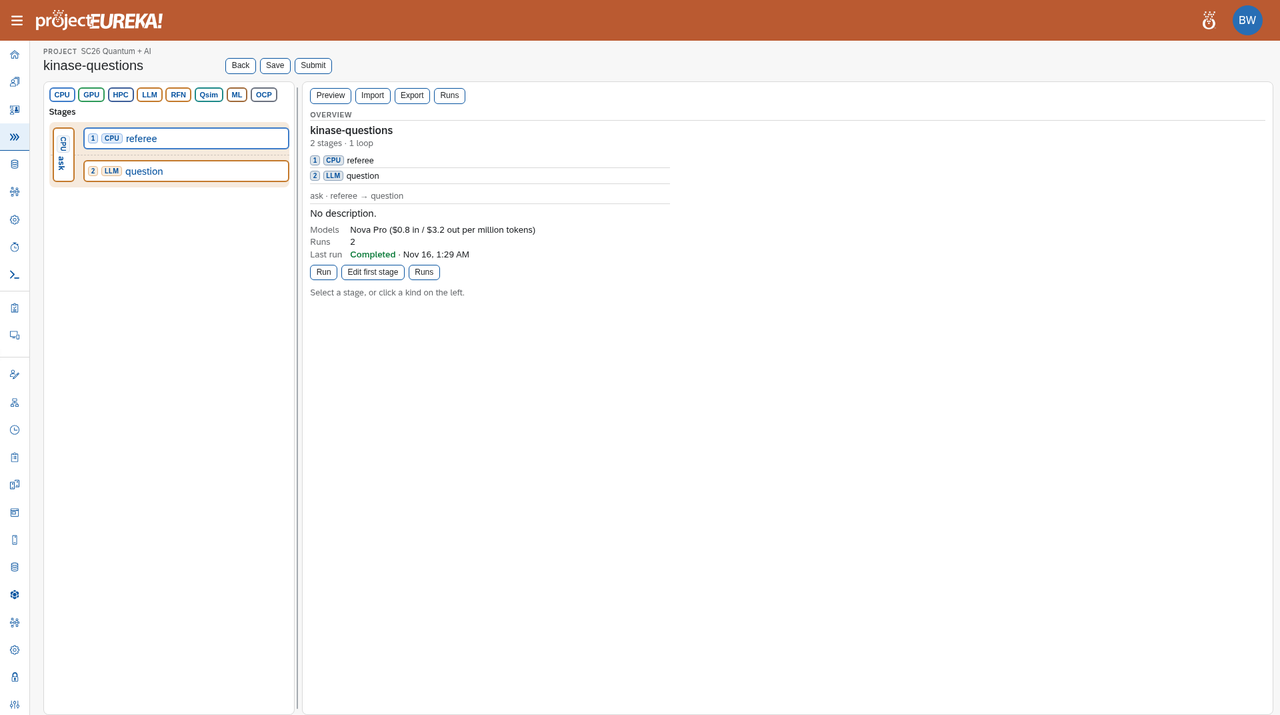
A live Nova Pro run finished in 4 turns and correctly guessed AKT1_HUMAN at confidence 0.95. In Storage, open prj-storage/flows/kinase-questions/runs/<run>/stages/s1/turn-004/out/transcript.txt and .../stages/s2/out/reply.txt.
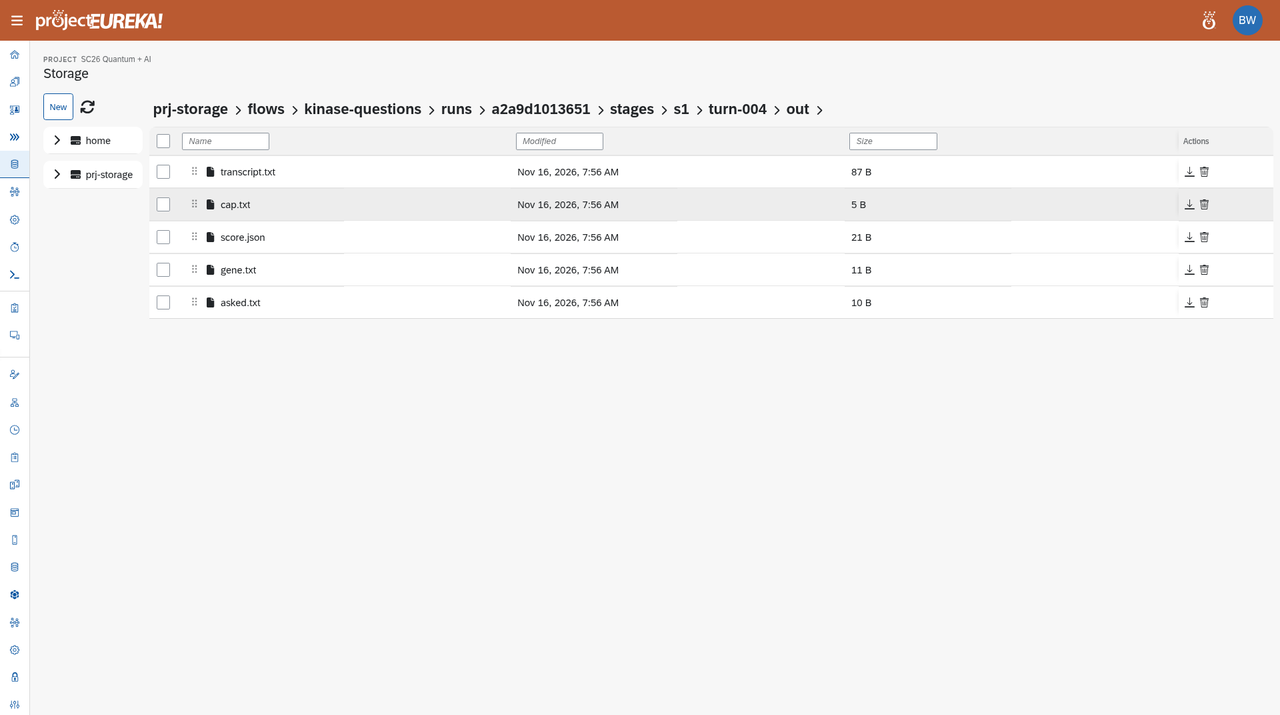
The transcript from that run:
family: human serine/threonine protein kinasesymbol: AKTaccession: P31749 AKT1_HUMANAnd the final reply:
{ "ask": "accession", "guess": "AKT1_HUMAN", "why": "The symbol and family are already known, requesting accession for confirmation.", "confidence": 0.95}Related
Section titled “Related”Get started · Run a flow · How flows run · Browse storage · Roles and permissions