Build a flow
A flow automates multi-step work, such as preparing data, running a CPU or GPU job, and calling a language model, so it can be rerun the same way. Build it once in the editor, then submit runs.
Before you begin
Section titled “Before you begin”- Editor or Owner role in the project. Readers can open and submit a saved flow but cannot change it.
- An admin has turned on Flows and the stage kinds you need.
- LLM and RFN stages need a project credential (Project credentials).
edit-flow edit-flow edit-flow Google Cloud video: https://docs.projecteureka.ai/clips/edit-flow/gcp/edit-flow.gcp.mp4
AWS video: https://docs.projecteureka.ai/clips/edit-flow/aws/edit-flow.aws.mp4
Kubernetes video: https://docs.projecteureka.ai/clips/edit-flow/k8s/edit-flow.k8s.mp4
- In Flows, select New flow, and give it a name.
- Select a kind in the palette on the left to add a stage, or drag it onto a gap in the stage list. The kinds are CPU, GPU, HPC, LLM, RFN, ML, OCP, and, when an admin turns quantum on, Qsim (Quantum). Admins choose which kinds show.
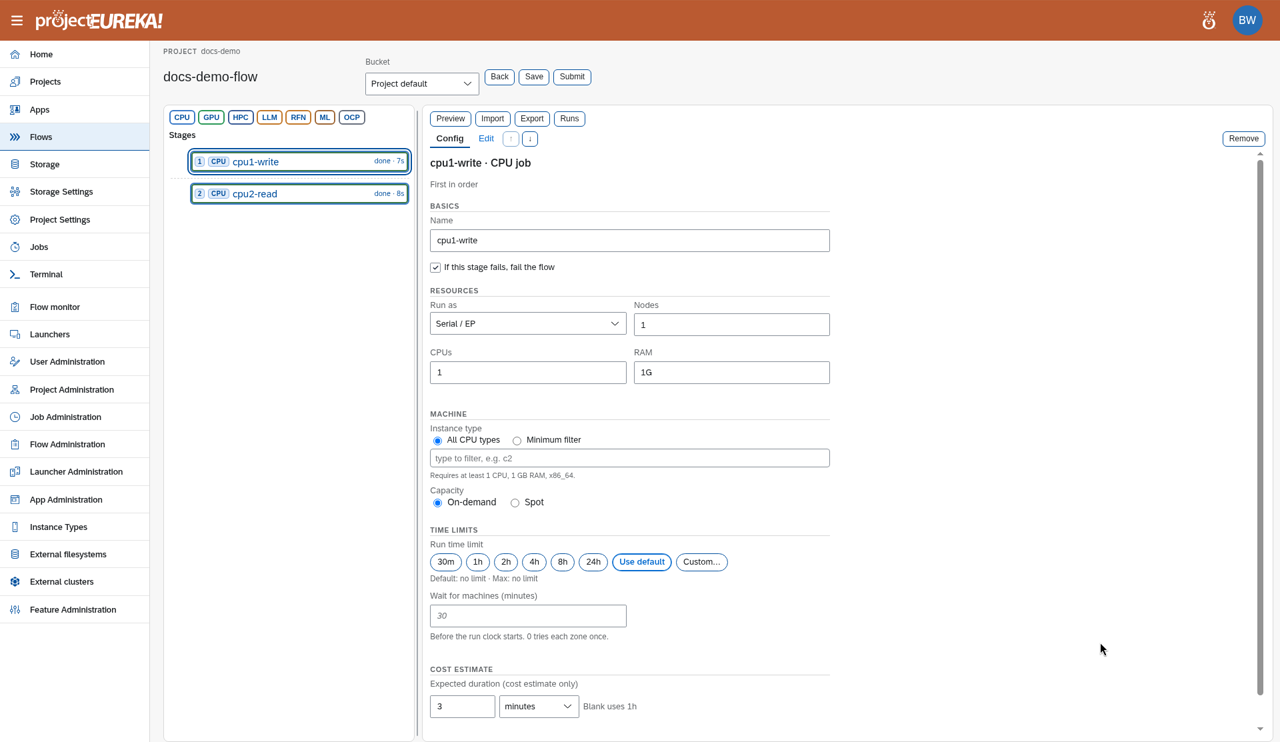
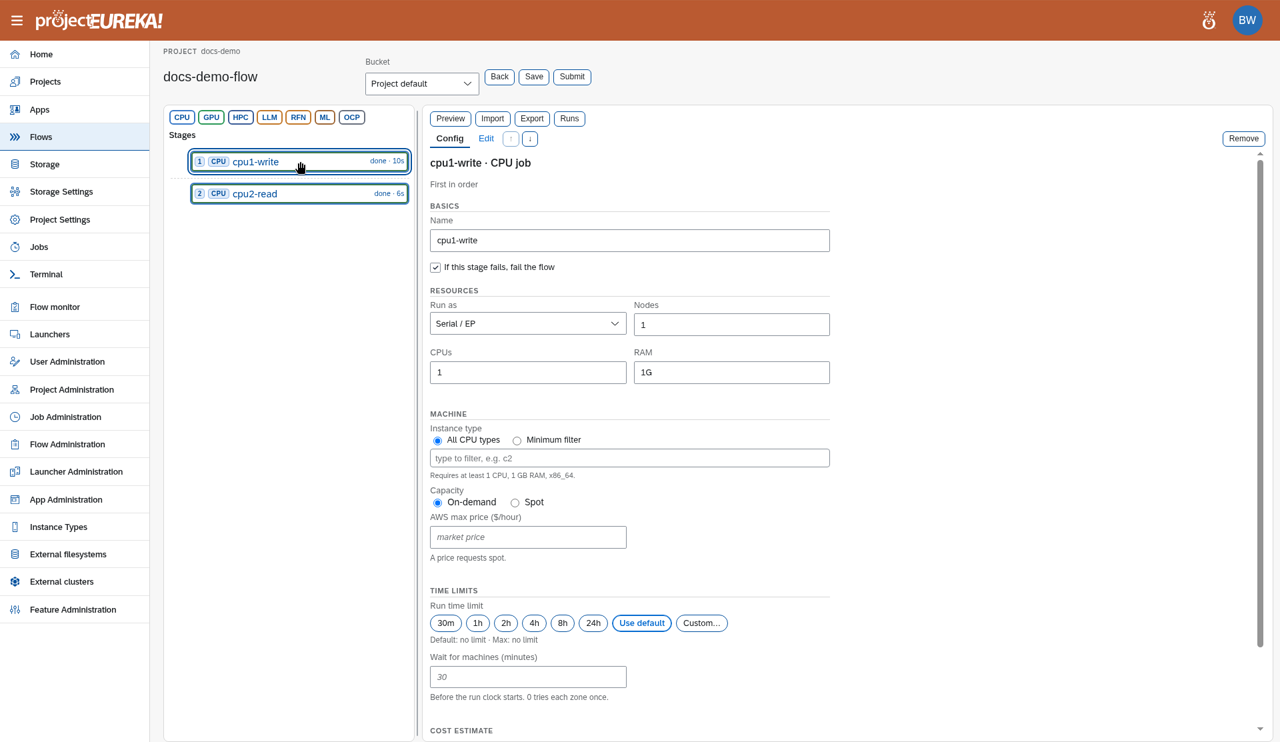
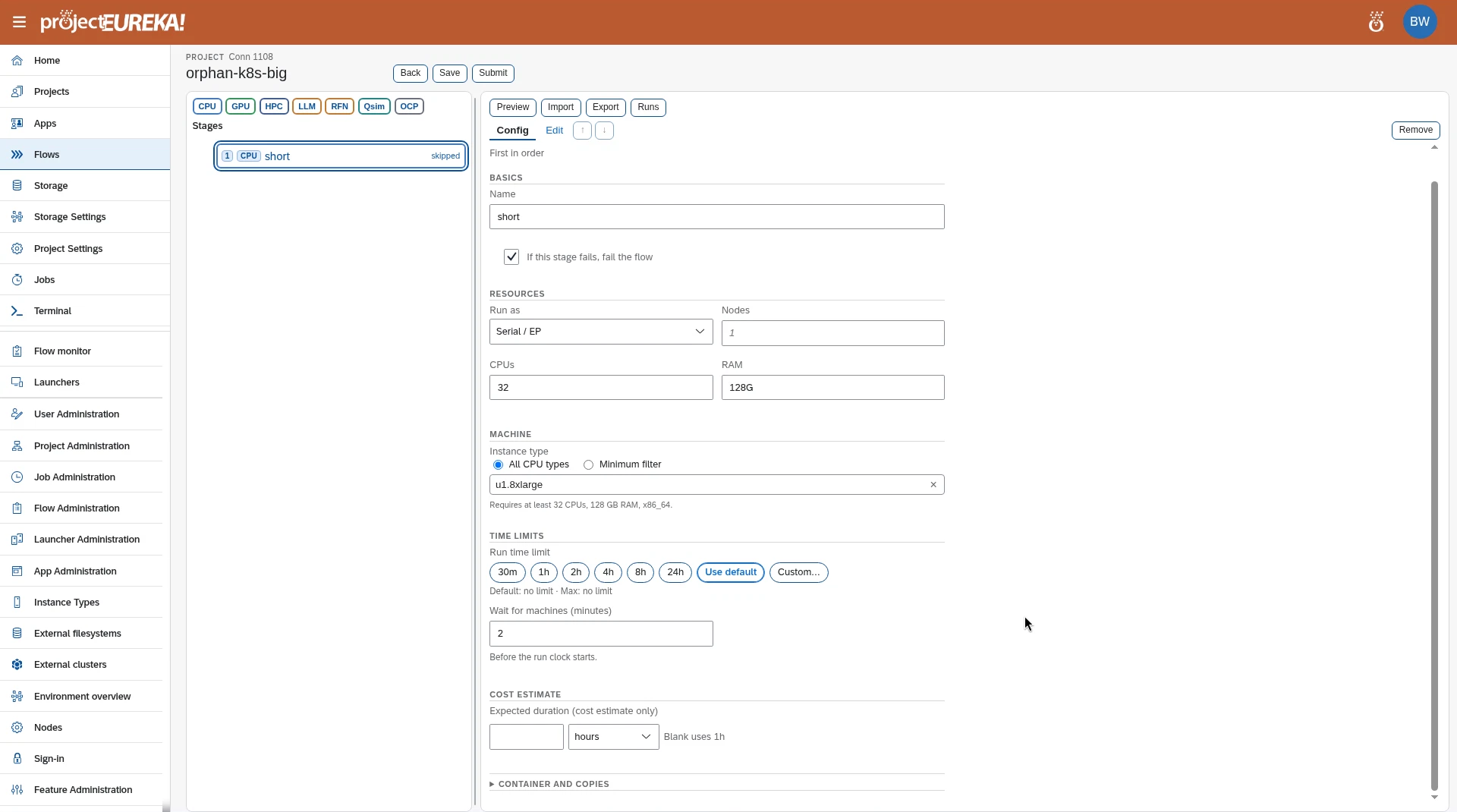
- Select a stage. On Config, set Machine, Resources, Time limits, and Inputs and outputs. Cost estimate shows the price. On Edit, change the generated script. An LLM stage has Prompt in place of Edit, and needs a Credential. If an LLM stage has no usable API key and If this stage fails, fail the flow is on, Submit is blocked until you pick a credential or turn that option off. With the option off, the stage only shows a warning. Until you select a stage, the right side shows an Overview of the flow: its name, its stages, and any loops. Long scripts and prompts scroll inside their boxes.
- Reorder stages by dragging them, or with ↑ and ↓. Remove deletes the stage.
- To run stages at the same time, drag a kind to the left of the stage list to make a bar. Stretch the bar over the stages it runs beside.
- Select Save.
The toolbar also has a Bucket picker for the flow’s bucket, and Preview, Import, Export, and Runs. On Kubernetes the bucket picker is hidden unless this flow already names a bucket, spot is not offered, and ML is not in the palette. A stage left on the default machine size is given the smallest enabled type that meets its CPUs and memory. On AWS and Google Cloud, Capacity chooses on-demand or spot. Entering an AWS max price requests spot. See How flows run and Spot.
Google Cloud
AWS
Kubernetes
Leaving with unsaved changes asks Save changes? You can choose Discard changes.
Preview shows what Submit would compile, without starting a run.
Stage kinds
Section titled “Stage kinds”| Kind | What it runs |
|---|---|
| CPU / GPU | A script on a machine of the chosen instance type. It can run as a small Slurm job for MPI, several nodes, or an array. |
| HPC | A job submitted to an existing Slurm cluster that an admin registered in External clusters. |
| LLM | One language-model call, using a project credential. |
| RFN | Repeats a model call until its reply passes your checks, or until the turn limit. |
| ML | One managed training job: Vertex AI on Google Cloud, SageMaker on AWS. Needs a project bucket. |
| OCP | Copies files between project files, home, a bucket, or a machine. |
| CTR | Runs a container (SIF) as a job. It comes from imported or example flows, not the palette. |
| Quantum (Qsim) | One circuit on IonQ or Braket, when an admin turns it on. Braket runs on AWS only. On Kubernetes, IonQ runs with an IonQ API key. |
In an imported or hand-written flow, an LLM or RFN stage can name its model the way people know it, such as its cloud model id (for example models/gemini-4-argon), its label, or the provider plus that id, instead of the internal m_ id. projectEureka finds the matching model this project may use. If the name matches none, or more than one, the error lists the models you can use.
See How flows run for where each kind runs and what happens when a stage fails.