Project credentials
Project credentials are API keys that belong to one project. They live on the Credentials tab of Project Settings, next to the General tab. Flow stages that call an AI service, such as OpenAI, Grok, Anthropic, or Gemini, sign in with a credential from the project’s list.
The Provider choices come from the AI services a system admin adds in Feature Administration. Those admin keys are separate; see AI services and credentials.
manage-credentials manage-credentials manage-credentials Google Cloud video: https://docs.projecteureka.ai/clips/manage-credentials/gcp/manage-credentials.gcp.mp4
AWS video: https://docs.projecteureka.ai/clips/manage-credentials/aws/manage-credentials.aws.mp4
Kubernetes video: https://docs.projecteureka.ai/clips/manage-credentials/k8s/manage-credentials.k8s.mp4
Before you begin
Section titled “Before you begin”- Owners and admins add and remove credentials. Editors pick which one a flow stage or launcher uses.
Add a credential
Section titled “Add a credential”- Open Project Settings (side bar, or ☰ on the project card) and select the Credentials tab.
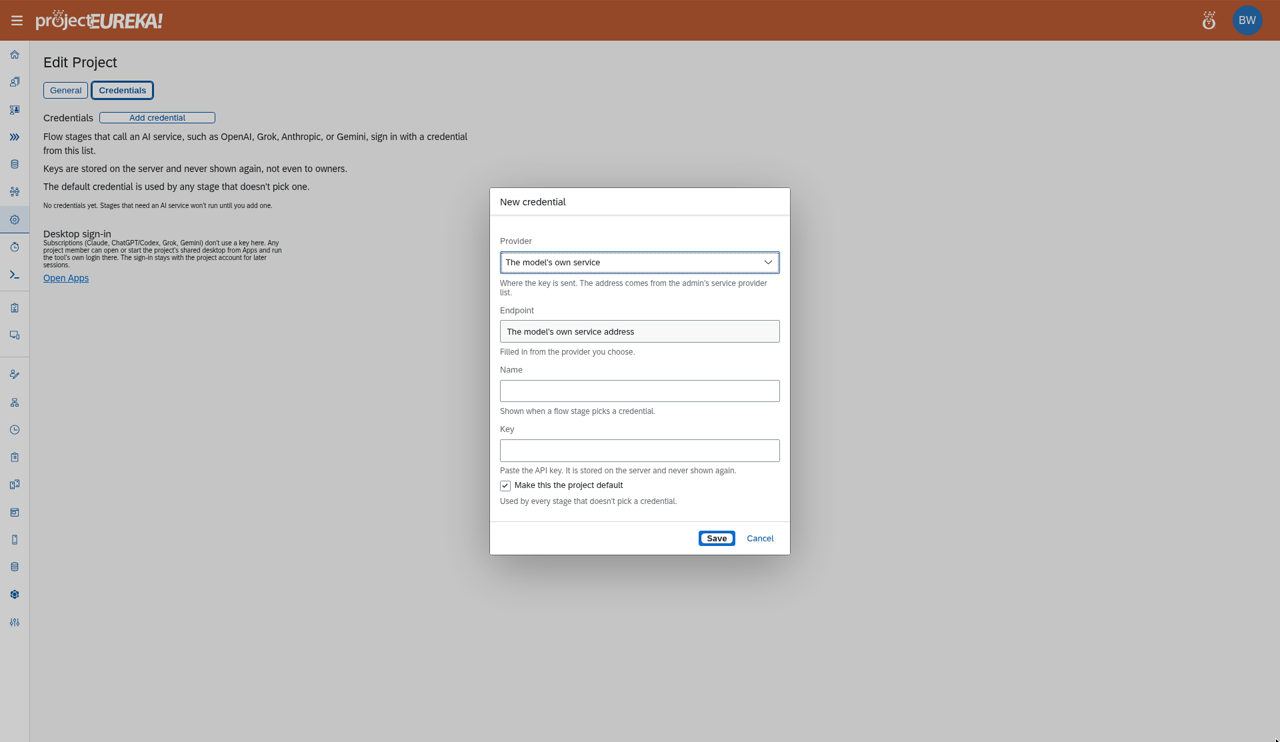
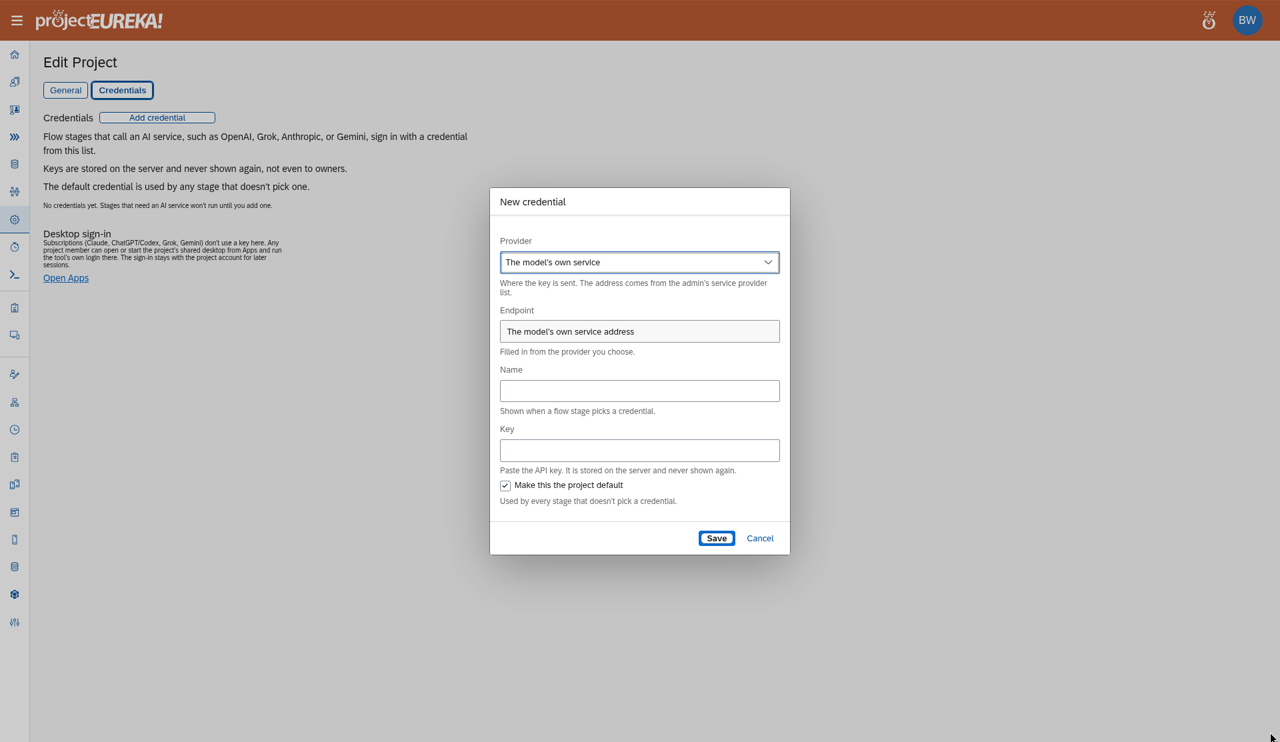
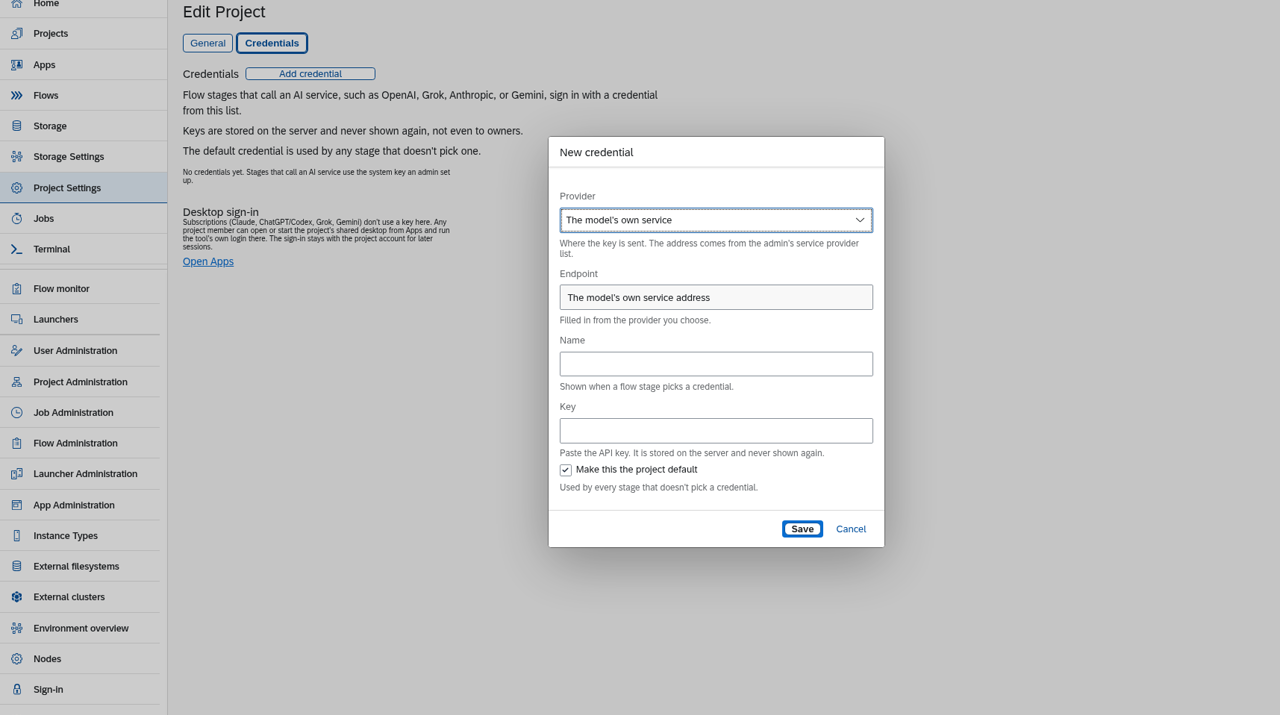
- Select Add credential. The New credential window opens.
- In Provider, choose the service. The list comes from the service providers your admin set up.
- Endpoint fills in from the provider. Enter Name and Key.
- Optional: select Make this the project default.
- Select Save.
Google Cloud
AWS
Kubernetes
Change or remove a credential
Section titled “Change or remove a credential”Open the row’s ⋯ menu and choose Edit (opens Credential), Make default, or Remove. In Edit, Clear the stored key removes the key.
Good to know
Section titled “Good to know”- Keys are stored on the server and never shown again, not even to Owners.
- The default credential is used by any stage that doesn’t pick one.
- Subscriptions (Claude, ChatGPT/Codex, Grok, Gemini) don’t use a key here. Any member can open the project’s shared desktop from Apps and sign in with the tool’s own login. The sign-in stays with the project account.